
01
Connect your store
Install Appziot and connect your Shopify store. Products, collections, inventory, and orders stay on Shopify.
Connect your Shopify store, set up branding, layouts, and content in the dashboard, then get the app ready for the App Store and Google Play. Apple and Google still review the listing before it goes live.
You don’t need a mobile team. You need your Shopify store and a bit of setup.
Install Appziot and connect your Shopify store. Products, collections, inventory, and orders stay on Shopify.
Set up your branding, navigation, layouts, and content so the app looks like your store.
Get your app ready for iOS and Android. Apple and Google still review the listing before it goes live.
You already have a Shopify store. Appziot is how you turn it into a branded mobile shopping app. Arrange screens in the dashboard. Many changes show up in the app without a new App Store or Google Play listing.
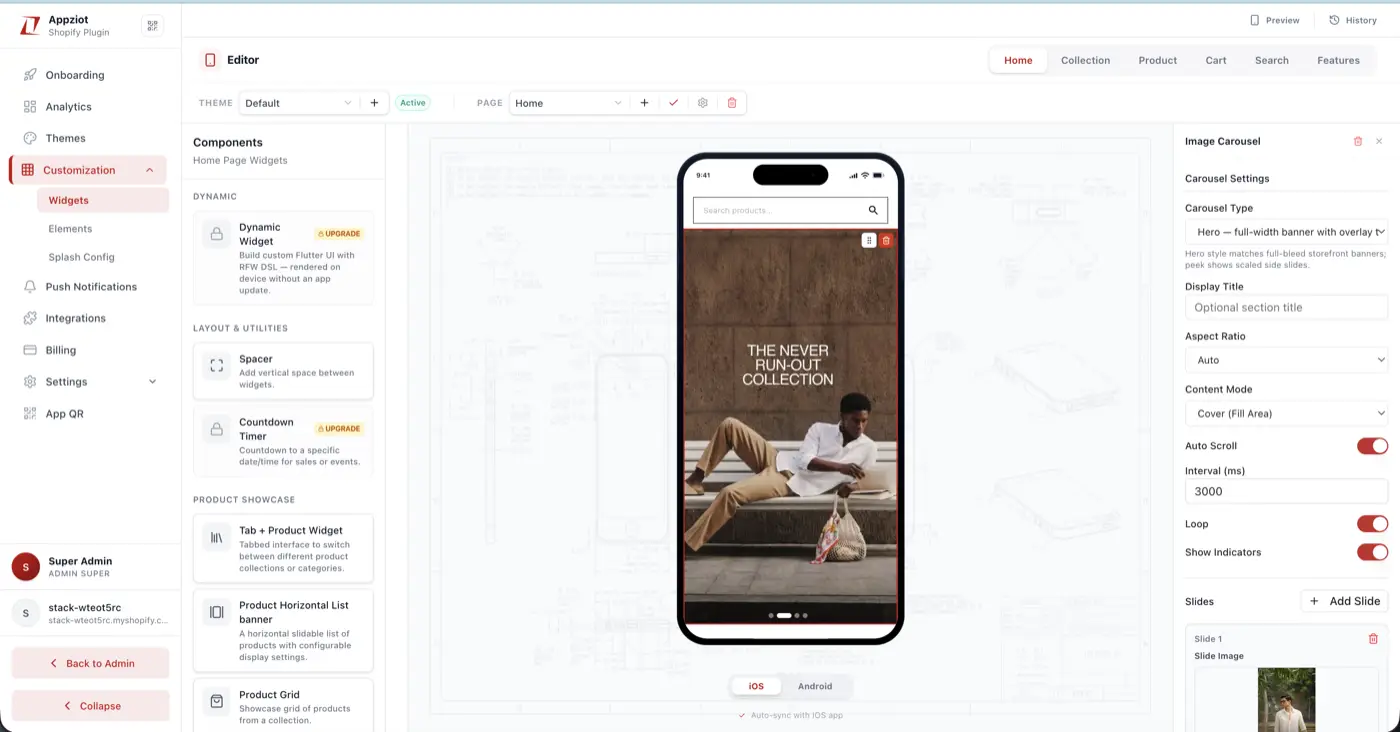
Live on the phone
iOS & Android · no rebuild

Full-bleed hero banners & collections
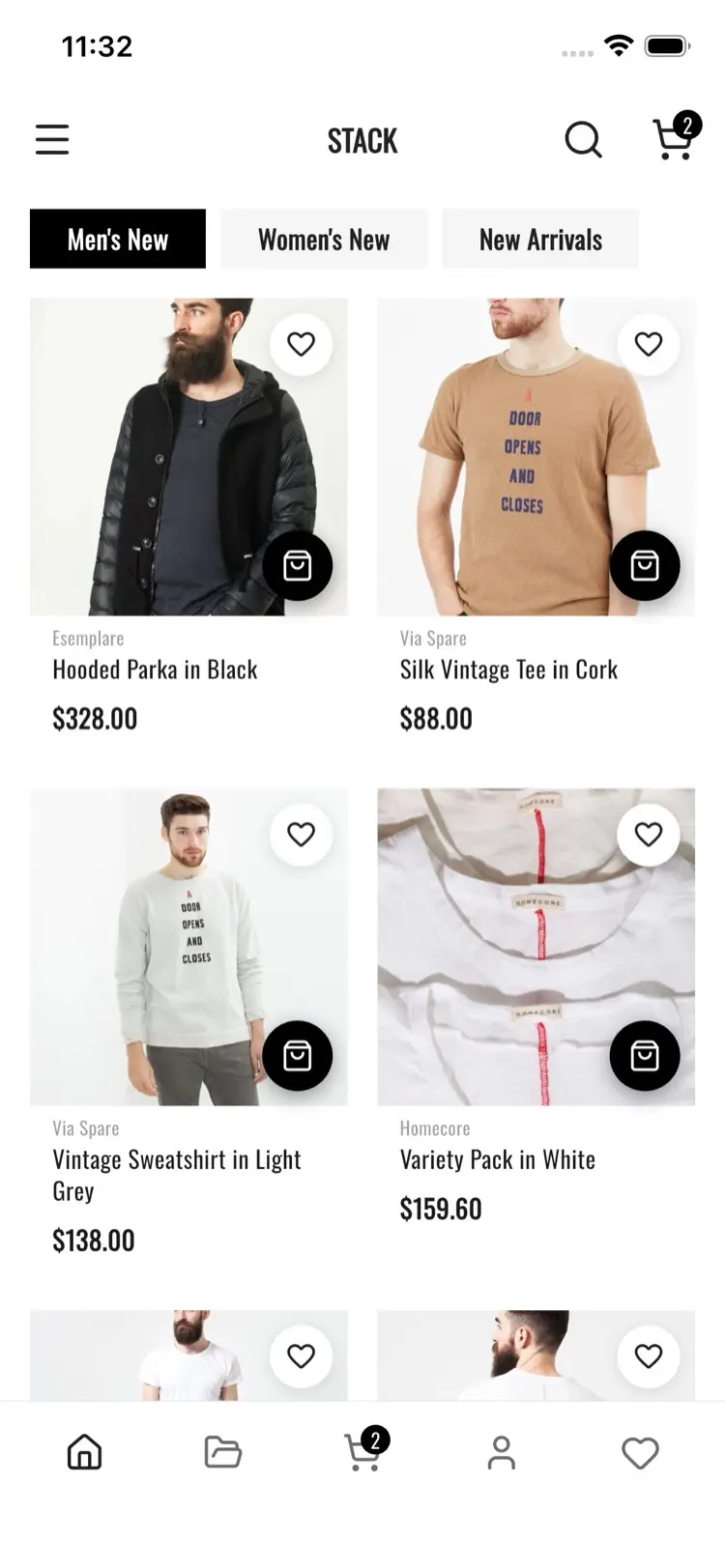
Filterable grids with tabs
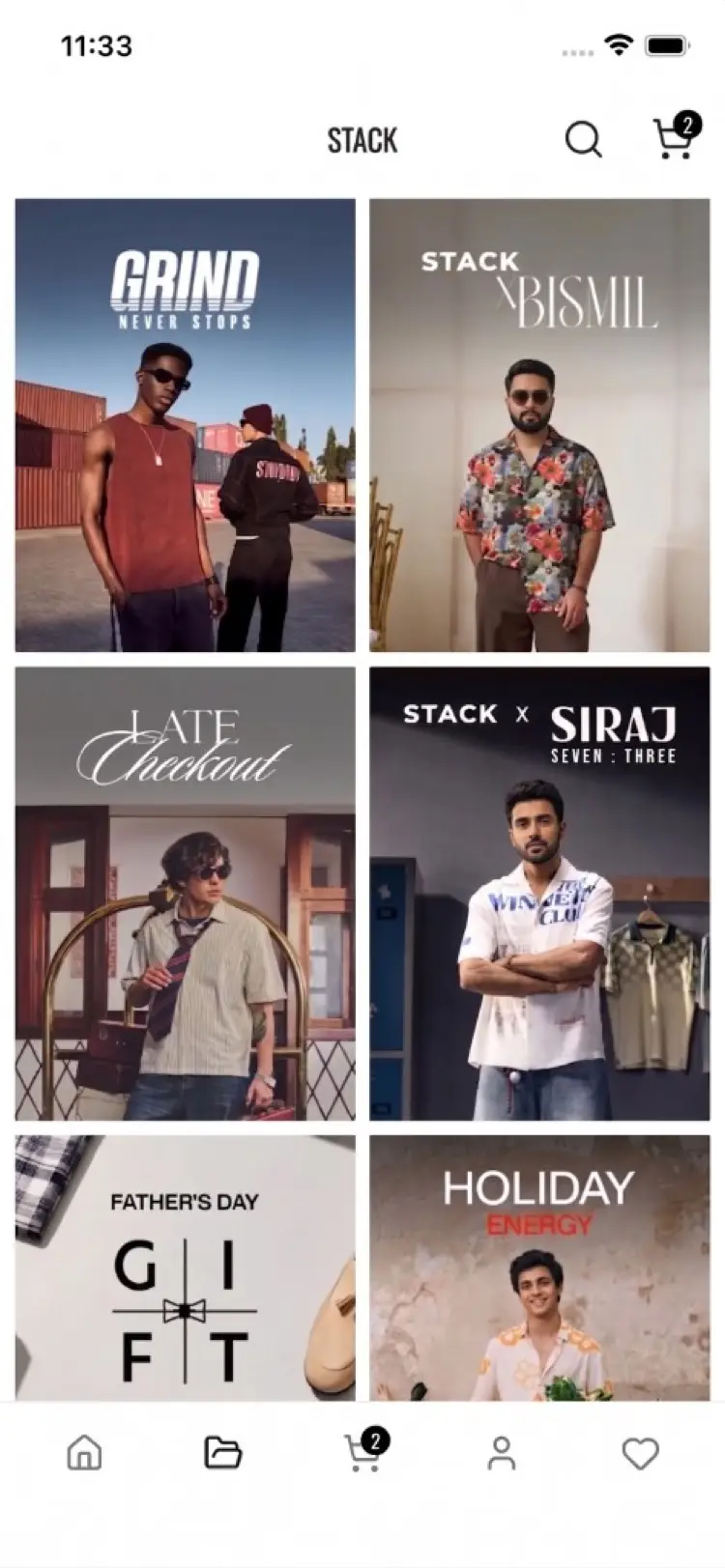
Editorial campaign banners
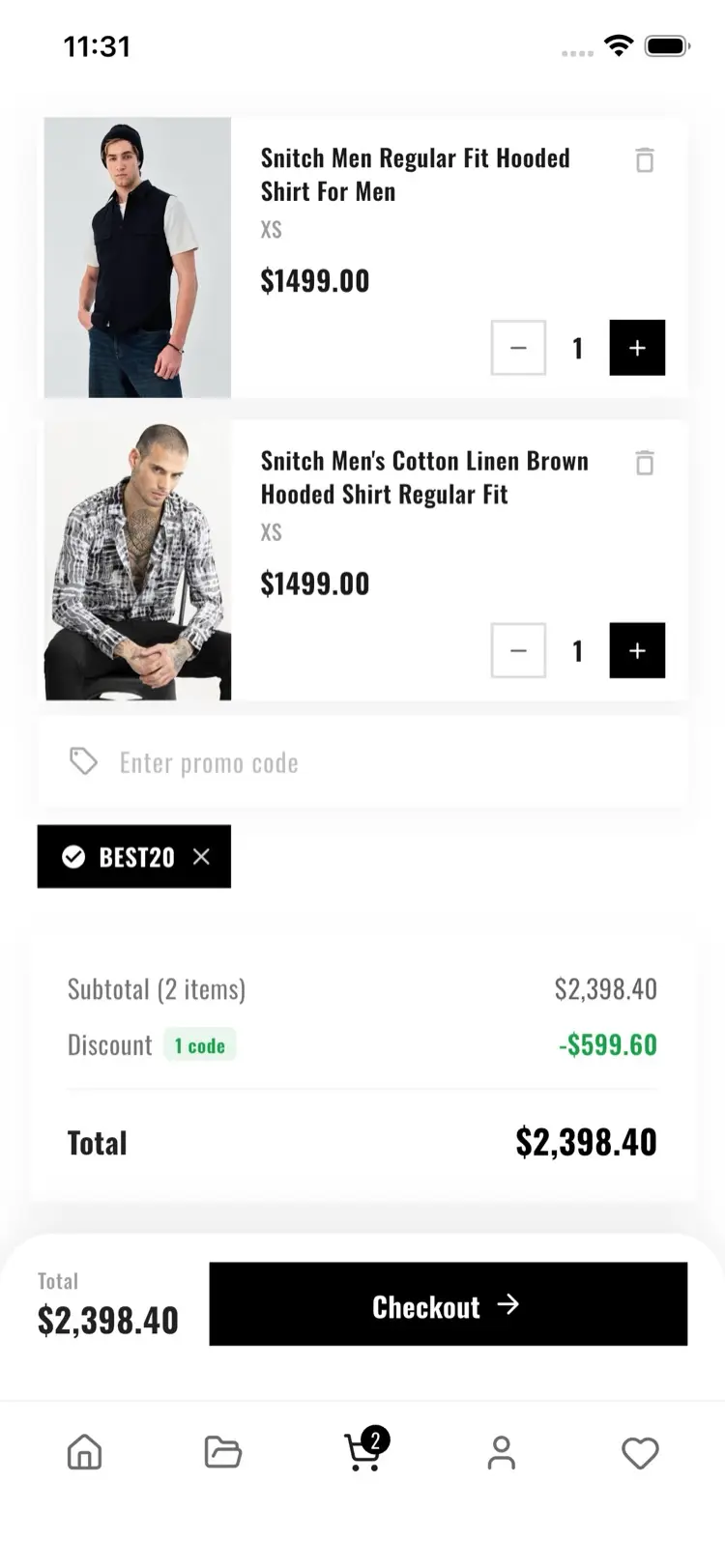
Promo codes and Shopify checkout
Install Appziot from the Shopify App Store and start a 30-day free trial. Connect the store you already run. Make the app look like your brand. Get it ready for iOS and Android.